Docs
Connect an editor or an agent
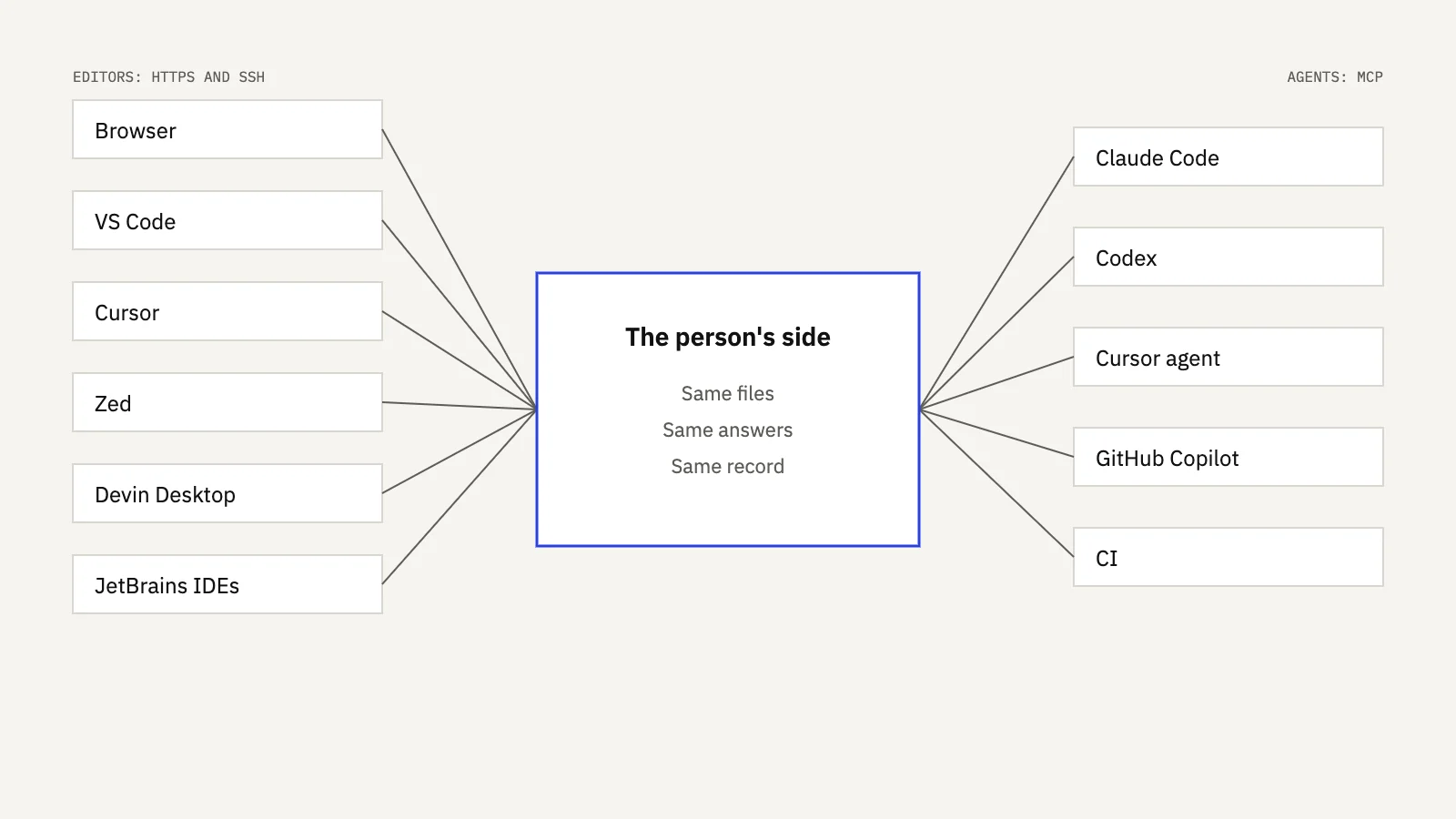
People keep the editor they already use, and agents keep the tools they already run. Every client reaches the same workspace and gets the same answers, because the files are decided in the workspace, not in the client.
Pick your client
| Client | Connects over | Page |
|---|---|---|
| A browser, with nothing to install | HTTPS | Doors |
| Visual Studio Code | SSH | VS Code |
| Cursor | SSH | Cursor |
| Zed | SSH | Zed |
| Devin Desktop, formerly Windsurf | SSH | Devin Desktop |
| IntelliJ IDEA, PyCharm, WebStorm and other JetBrains IDEs, through JetBrains Gateway | SSH | JetBrains |
| Any other editor or tool that speaks SSH: a terminal, Emacs, Vim | SSH | VS Code, steps one and two |
| Claude Code, Codex, Cursor's agent, GitHub Copilot's agent mode, and CI | MCP | Agents over MCP |
What every editor gets
- The task's files. The file tree holds the Visible and Read-only files. Everything else is not there: not padlocked, absent.
- Code intelligence. The editor's language server runs in the workspace on the person's side. Hover, autocomplete and go-to-definition work, and an import of an Occluded module resolves to its declaration.
- A terminal on the person's side.
cat,grepandfindbehave as they would on a laptop, over the files the person may read. - The build by name.
npm run dev,npm testand the other scripts the profile lists run on the build's side, against the whole repository. See How a build runs. - The preview on localhost. The editor forwards the dev server's port, as it does for any remote machine.
- Submit, status and diff as
occludecommands in the terminal. See Commands. - The same record. Every refused attempt is recorded with the door it came through.
How an editor connects
Every editor in the table uses the same three steps:
- Get a certificate for the session. In Occlude, open the session and choose Connect an editor. Paste your SSH public key (
ed25519). Occlude returns a certificate valid for this session only, the workspace's host key, and aHostblock for your SSH config. - Add the `Host` block to
~/.ssh/config. Your private key never leaves your machine. - Open the host from your editor, as you would open any remote machine.
When the grant ends or is revoked, the certificate stops working and the connection closes. There is no key on a server to remove afterwards.
The workspace has no route to the internet, so an editor's remote server and extensions are downloaded on your machine and sent through the SSH connection. Each editor's page names the setting that does this.
What the editor's assistant can reach
Cursor's agent, Copilot in VS Code, Zed's assistant and Devin Desktop's agent all read through the person's side, so they can read what the person can read and nothing else. What they can read, they can send to their vendor. See Where your code goes.
How an agent connects
An agent outside Occlude connects over MCP. Occlude gives each agent session an address and a token. The agent's file reads, listings, searches, writes and commands go through the same workspace as a person's. See Agents over MCP.