Every major AI coding tool now has a setting that keeps files away from its agent, and every vendor documents where that setting stops. Most stop at the agent's terminal: a setting the agent's file tool respects does not stop cat or a script. This page puts five of them side by side, quotes each vendor on its own limit, and answers the question that usually follows: can you keep an agent inside one folder?
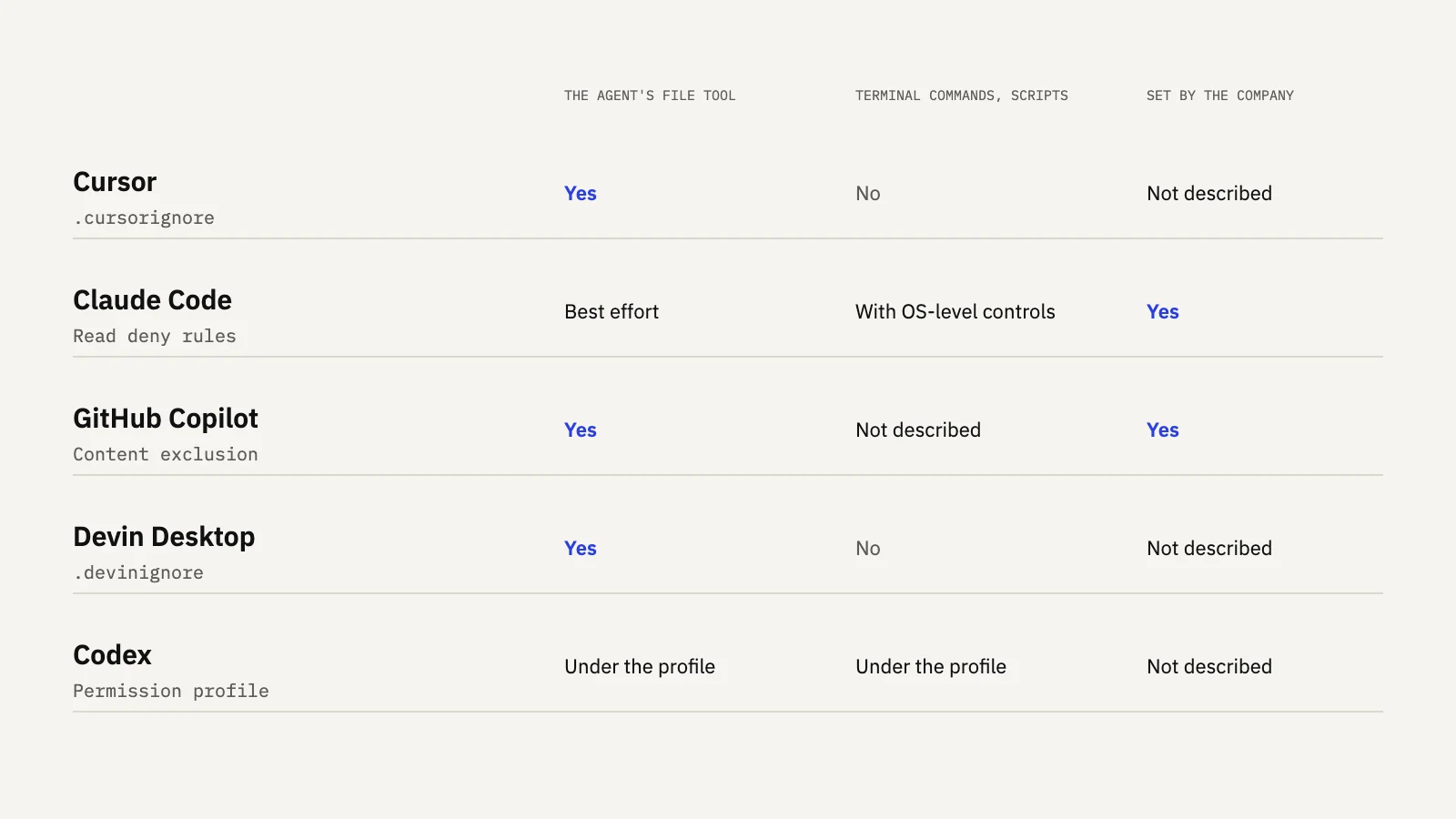
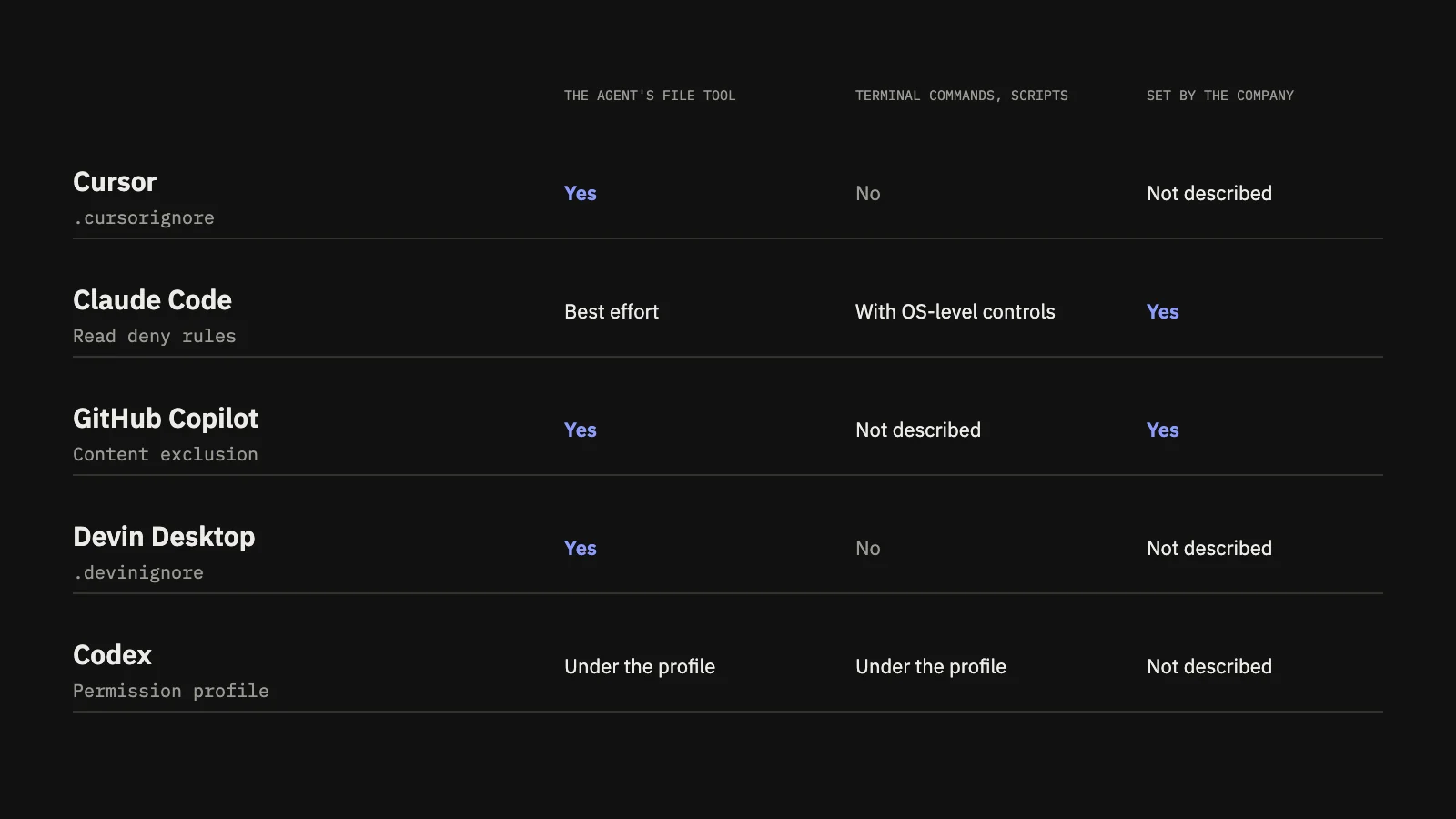
Side by side
| Tool | Setting | Set by | What the vendor says about its limit |
|---|---|---|---|
| Cursor | .cursorignore, and the agent's Read Access setting | Each developer, per project | "The terminal and MCP server tools used by Agent cannot block access to code governed by .cursorignore" |
| Claude Code | Read(path) deny rules, and OS-level controls for shell commands | A developer, or the organisation through managed settings | Deny rules "don't apply to arbitrary subprocesses that read or write files indirectly" |
| GitHub Copilot | Content exclusion | Repository, organisation and enterprise administrators, on Business and Enterprise | "Content exclusion is not a filesystem security boundary" |
| Devin Desktop, formerly Windsurf | .devinignore | Each developer, per project | The agent block "does not apply to shell commands or to search tools" |
| Codex | Permission profiles, with "deny" on a path | A developer, in config.toml | A profile applies to the tool calls Codex runs under it |
Cursor
.cursorignore takes .gitignore syntax and keeps matching files from the agent, Tab and @ mentions. Cursor is direct about the rest: "The terminal and MCP server tools used by Agent cannot block access to code governed by .cursorignore", and "complete protection isn't guaranteed due to LLM unpredictability."
Claude Code
A Read deny rule in settings.json stops Claude Code's own file tools, and the shell commands it recognises as reading a file, such as cat and head:
{
  "permissions": {
    "deny": ["Read(./.env)", "Read(./secrets/**)"]
  }
}
The documentation is specific about what that does not cover. The rules "don't apply to a command that reads files without naming them, such as grep -r pattern . run from the directory that holds the file. They also don't apply to arbitrary subprocesses that read or write files indirectly, like a Python or Node script that opens files itself." For those, Claude Code offers OS-level controls on shell commands, and an organisation can require all of it through managed settings. A .claudeignore file, which several popular posts recommend, "has no effect". There is a walkthrough in How to stop Claude Code from reading a file.
GitHub Copilot
Content exclusion is set by administrators on Copilot Business and Enterprise, per repository or across an organisation. Since 2 September 2026, GitHub says, "The GitHub Copilot app and Copilot CLI now respect content exclusion policies". GitHub also says plainly what it is not: "Content exclusion is not a filesystem security boundary and cannot guarantee prevention of every form of file access", and it does not apply to "repositories located on remote filesystems".
Devin Desktop
Devin Desktop, the editor that was Windsurf, reads .devinignore. Matching files are not indexed, and its agent avoids them, but its documentation says that block "does not apply to shell commands or to search tools".
Codex
Codex takes a permission profile in ~/.codex/config.toml. A path set to "deny" cannot be read by the commands Codex runs under that profile:
default_permissions = "project-edit"

[permissions.project-edit.filesystem]
":minimal" = "read"

[permissions.project-edit.filesystem.":workspace_roots"]
"." = "write"
"**/*.env" = "deny"
Like Claude Code's OS-level controls, it applies to the commands themselves rather than to one tool. It is set by each developer in their own configuration.
Can I keep an agent inside one folder?
Opening a folder is not enough. When a Cursor user found the agent reading files in a parent directory, Cursor's staff answered: "By default the agent's Read Access is set to System, so it can read files outside the open folder without asking." Their fix is a setting, not a prompt: in Cursor Settings, under Agents, Execution and Approvals, set Read Access to Workspace, so "reading a file outside the folder then needs your approval".
| Tool | Keep the agent to one folder |
|---|---|
| Cursor | Read Access set to Workspace; terminal commands need a run mode that restricts them too |
| Claude Code | permissions.blockReadsOutsideWorkingDirectories, which makes "the file tools refuse reads outside the working directories in every permission mode" |
| Codex | A permission profile that grants :minimal and the workspace roots only, as in the example above |
| Copilot | Not described |
| Devin Desktop | Not described |
What the settings have in common
Each is a rule inside the agent, on a machine that holds the whole repository. The agent's tools are asked to look away from files that are on the disk next to them. Where the tool is the only route, that works. Where the agent can also run a shell, a test or a script, the vendors say it does not.
For a secret, that is often acceptable: put it in a secrets manager and the file is not there at all. For source code the agent must build against, the file has to be on the disk, so the rule is the only thing between the agent and the code.
Where Occlude fits
Occlude moves the line out of the agent. The agent works in a workspace in your cloud where files outside its task are not on the side it can reach, while the build still reads them. Its file tool, search and terminal get the same answer, No such file or directory, because no setting is being asked to look away. Agents over MCP has the configuration for each of the five, and Where your code goes says what can still leave.
Occlude is a product to run, and for a secret or two it is more than you need. The settings above are free and they are a good first step.
Sources
Each page last read on 28 November 2026.
- Cursor: ignore files.
- Cursor forum: Agent ignores workspace restrictions, the staff reply of 28 October 2026.
- Claude Code: permissions and settings reference.
- GitHub: content exclusion and the changelog of 2 September 2026.
- Devin Desktop: ignore file.
- Codex: permissions and configuration reference.
Want to go through this for your codebase?
Or write to contact@occludehq.com
Not ready to talk? Step through a session on a sample repository